AI wrote the listing. It’s still your ad.
Paste any listing draft and see every Fair Housing red flag and unconfirmed claim before it goes live, with the reason, the source, and a safer rewrite.
AI's favorite phrases are on the caution lists.
75% of Realtors who use AI use it to write listing descriptions (NAR 2026 Realtors Technology Report, via HousingWire). The drafts come back fast and fluent, with lines like these in them.
Which tool wrote the draft doesn't change whose ad it is.
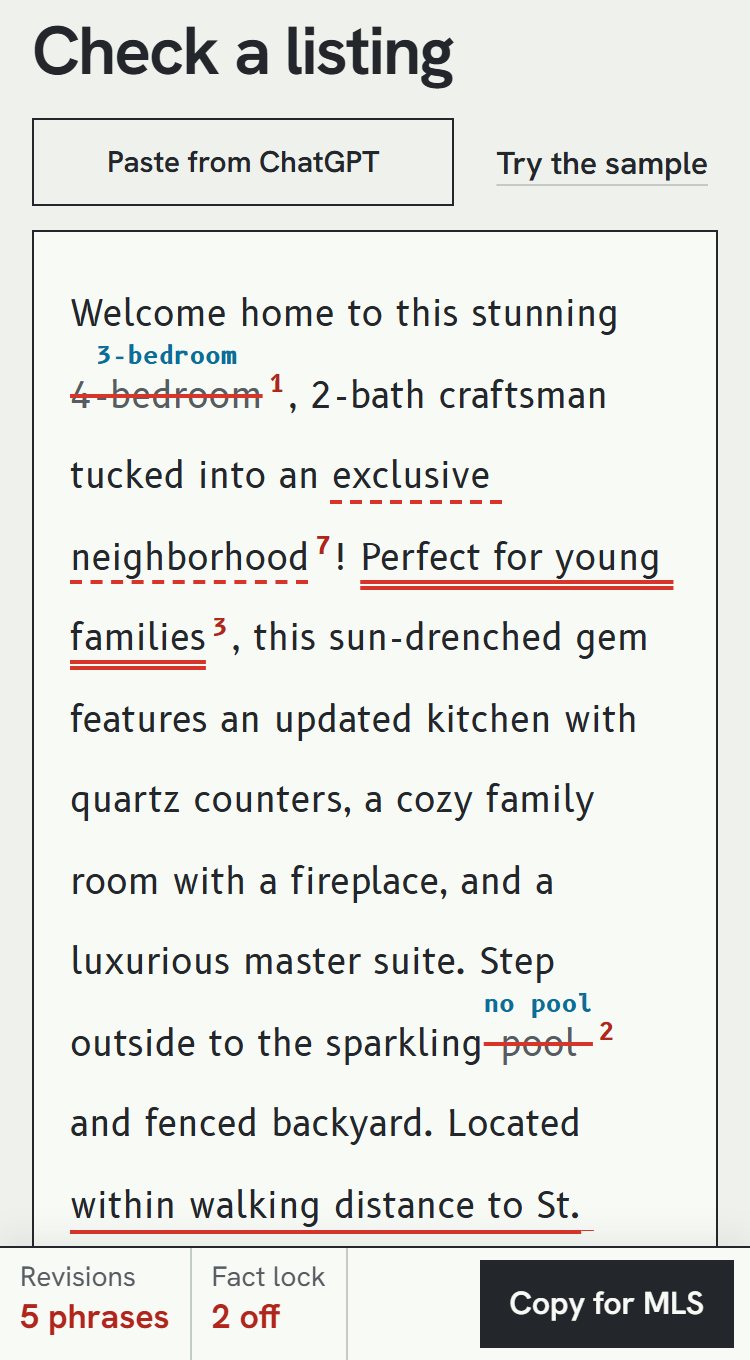
- double high
- single medium
- dashed context
- dotted low
- struck doesn't match your facts
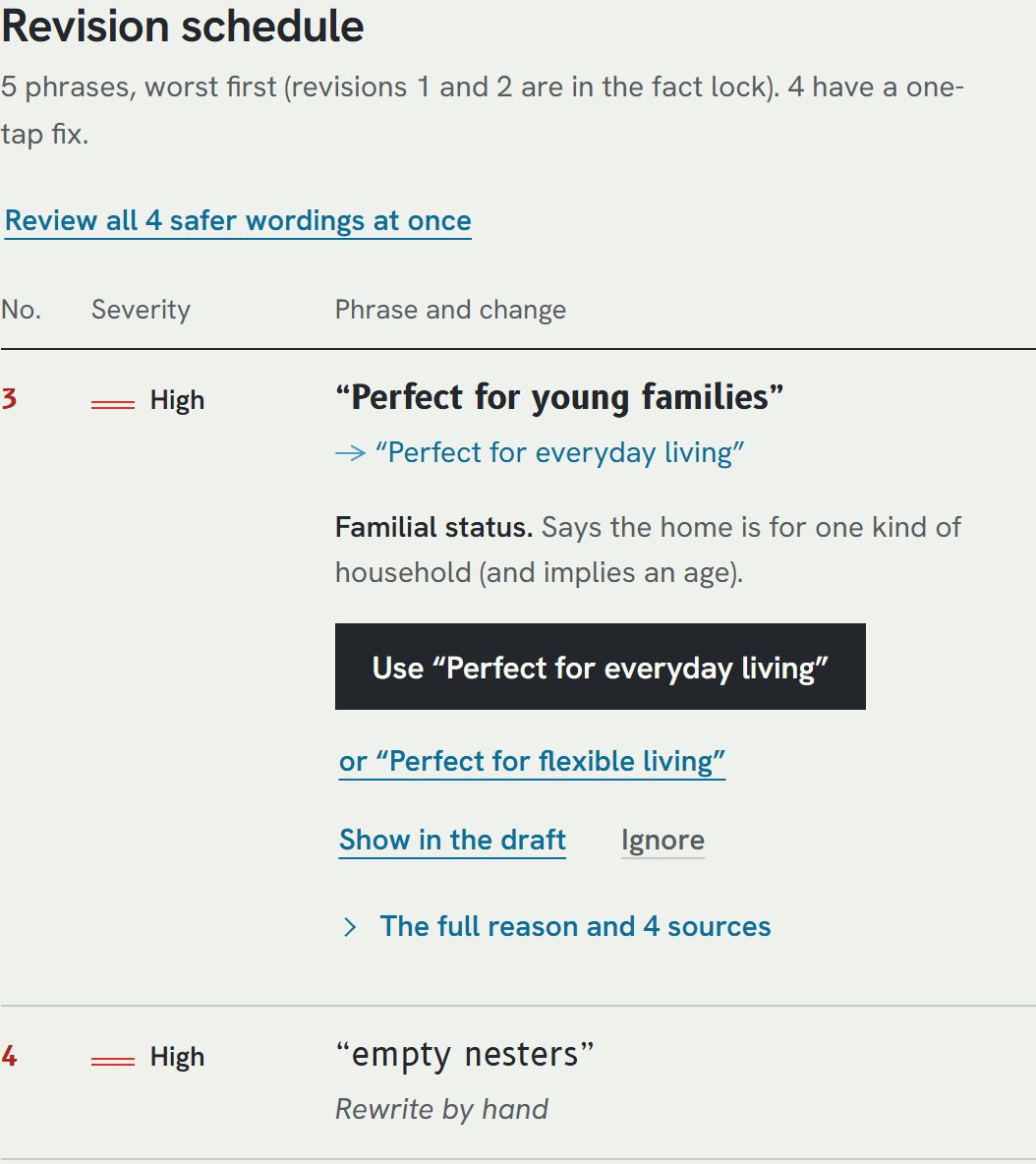
Perfect for young families
HighFamilial statusSays the home is for one kind of household, and implies an age. HUD's 1995 memo bars stating a familial-status preference.
walking distance to St. Mary's church
MediumReligionA particular church as a selling point can signal a religious preference. The CRMLS and NYPA lists accept "near places of worship".
safe neighborhood
MediumSteeringOn the caution lists, and the Long Island REALTORS list prohibits it. Safety claims read as code for who lives there, and you can't verify them.
ideal for empty nesters
HighFamilial statusPrefers households without children at home. On the avoid side of all three cited word lists.
The Fair Housing Act makes it unlawful to make, print or publish a housing ad that indicates a preference, limitation or discrimination based on race, color, religion, sex, handicap, familial status or national origin (42 U.S.C. 3604(c)). HUD's January 1995 advertising memo says the people who place real estate ads are responsible for ads that violate the Act on their face, not just the publishers.
So the risk is the draft nobody read before it went live, whoever wrote it. Sometimes the draft also adds a pool nobody confirmed (more on that in the fact lock, below).
Each flag says who it affects, why, and where that's written down.
Paste the draft.
From ChatGPT, an AI listing tool, or your own head. Risky phrases highlight as you type, by severity: high, medium, context, low.
Read the reason.
Each flag names the protected class, says why in plain English, and links its sources: the HUD memo, 24 CFR 100.75, the published REALTOR and MLS word lists.
Take the safer wording.
One click swaps in wording that describes the property instead of the people. Some flags have no rewrite. "No wheelchairs" is an exclusion, so you cut it.
Per HUD's 1995 memo, "master bedroom", "family room", "mother-in-law suite", "walk-in closets" and "wheelchair ramp" don't violate the Act. ListingLint says so instead of over-flagging, so you don't strip harmless words out of nervousness.
When the lists disagree, it shows both. The CRMLS and NYPA lists accept "great for family"; the Long Island REALTORS list prohibits it.
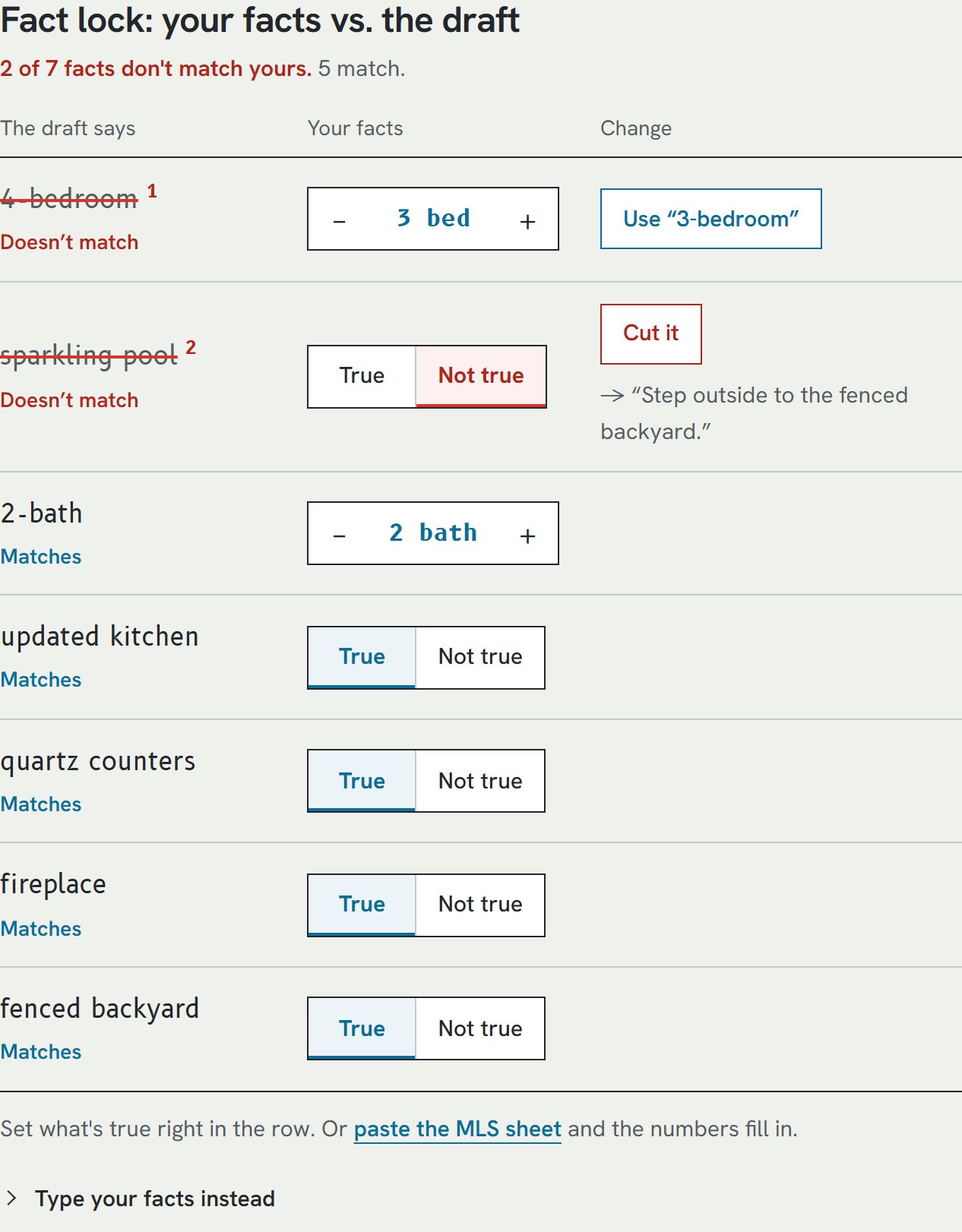
The draft says pool. Your facts say no pool.
AI writers add features nobody confirmed: a pool, a renovated kitchen, an extra bedroom. The fact lock lines up every claim in the draft against what you know, including what the home doesn't have ("no pool"). Before you've typed a thing, it lists the draft's claims and asks: true, or cut?
| Facts you gave | Your draft claims | ListingLint |
|---|---|---|
| 3 bedrooms | 4-bedroom | Use "3-bedroom" |
| no pool | sparkling pool | Cut it: "Step outside to the fenced backyard." |
| nothing entered | renovated kitchen | True? Keep it. Not true? Cut "renovated". |
Because it's rules, it can't hallucinate. Rewrites only change wording, never facts.
Rules you can read, and your text stays put.
ListingLint has 124 rules: 106 that flag, and 18 that explain terms that are acceptable. Every rule cites a source. There's no AI model in it, so it can't make anything up.
It runs in your browser. The listing text is never uploaded, and there's no signup. It works on copy from any AI tool, or on your own writing.
- FHAFair Housing Act, 42 U.S.C. § 3604(c)
- CFRHUD advertising regulation, 24 CFR § 100.75
- MEMOHUD advertising guidance memo, Jan. 9, 1995
- LIBORLong Island Board of REALTORS word and phrase guidelines, Mar. 2025
- CRMLSCRMLS Fair Housing Word & Phrase List
- NYPANew York Press Association word and phrase list
HUD's April 2024 guidance on advertising through digital platforms was withdrawn on Sept. 17, 2025. The Fair Housing Act and 24 CFR 100.75 didn't change, and neither did the rules built on them.
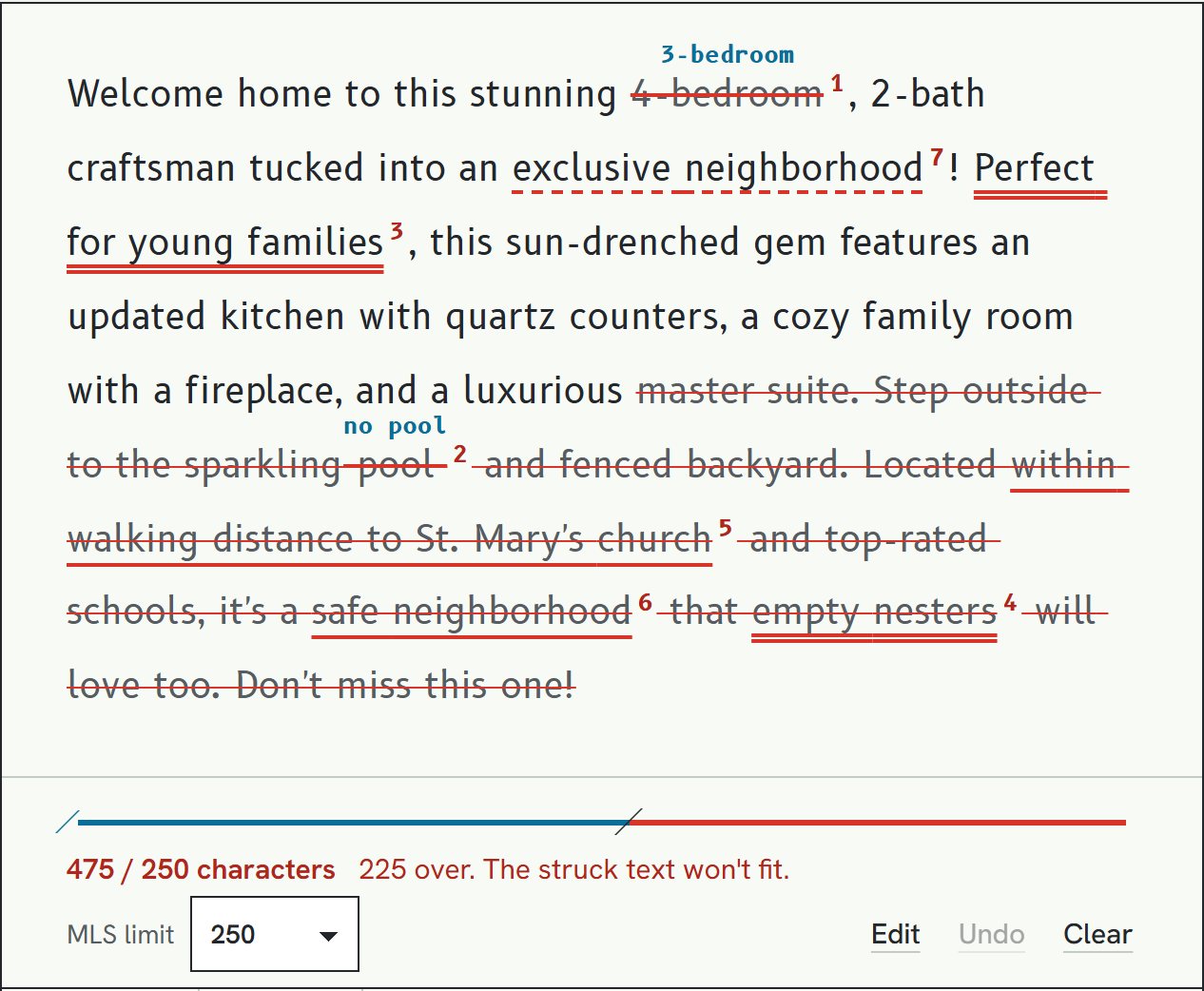
MLS remarks have hard limits, and AI copy runs long. The counter has 250 / 500 / 1,000 / 4,000 presets and a custom limit. "Copy MLS-clean text" gives you straight quotes, no emoji, single spaces.
The checker is free. Pro is $29, once.
| Free checker$0 · no account | Pro$29 one-time |
|---|---|
| All 124 rules, with their flags and safer rewrites | Offline single-file version: one HTML file that runs with no internet |
| Fact lock for beds, baths, sq ft, year built, garage and features | Your brokerage's own phrase list with replacements, import and export |
| MLS character counter and MLS-clean copy | Printable PDF report: fixes applied, fact list, final text, a sign-off line |
Pro checkout isn't open yet. The free checker works fully today.
What it won't do
- It's not legal advice, and a clean result doesn't make an ad compliant.
- It's a word and phrase check. It can't see photos, ad targeting, or meaning that depends on the whole ad.
- It covers the federal classes plus common state and local additions (source of income, age, marital and military status), not every state and city rule.
- English only.
- Suggested rewrites only change wording, and some flags have no one-click fix.
Read the final copy once, the way a buyer would.
I made ListingLint. The checker is free; Pro is $29 one-time.